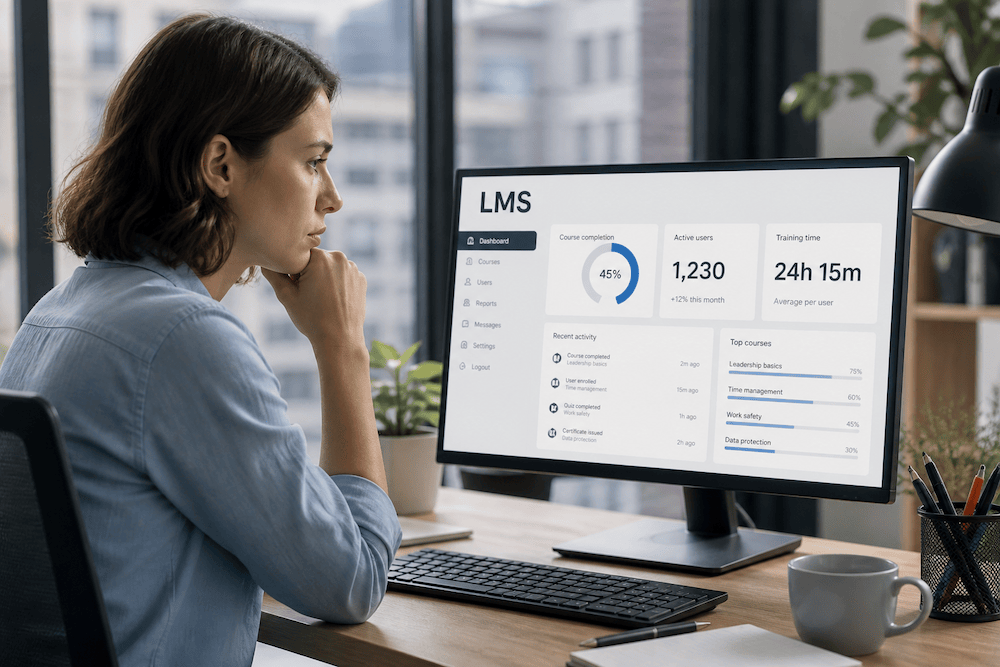
Build or buy? When is it worth developing your own LMS, and when is it better to use a ready-made platform?
Suppliers typically provide ready-made modules, templates, and reports that can be customized in a short time, while also assuming a significant portion of the technical risks associated with security, scaling, and maintenance. In practice, this means predictable budgets and regular updates without the need to build an internal product team.
The decision between developing your own LMS and purchasing a ready-made platform is a key business decision. Time, costs, risks during implementation, and long-term sustainability all play a key role here. In the following paragraphs, we will guide you through a comparison of both approaches, provide a model calculation of costs for three years of operation, and offer practical guidelines to help you choose the option with the highest return on investment.
What to look for: not just licenses, but the costs of the entire operation
To ensure a fair comparison, we recommend always calculating the TCO (i.e., total cost of ownership of the system) for at least 36 months.
The balance sheet includes one-time costs for analysis, implementation, integration, migration, and training, as well as ongoing items such as licenses, support, hosting, and minor adjustments.
Another extremely important item that is often overlooked is the cost of delay. Every month that the system is not yet running means delayed benefits – whether it's faster onboarding of new employees, compliance, or reducing the time spent searching for information in operations. If you work with "active user" licensing models, keep an eye on their definition. Whether "activity" is understood as monthly or quarterly can significantly affect the TCO.
Model calculation of costs for three years
To be specific, let's take two realistic options.
In the case of a ready-made platform (purchase of a cloud solution) let's consider 1,000 active users, a price of CZK 30 per user per month, annual support included in the price of the solution, and one-time costs of CZK 100,000 for implementation, CZK 250,000 for integration, and CZK 70,000 for training the responsible employees on your side. The annual license therefore costs CZK 360,000. Over three years, this amounts to CZK 1,080,000 for current operations, to which you add a one-time cost of CZK 420,000. It is also necessary to add the costs of delays – the usual implementation time is around 2-3 months, depending on the complexity of the integration and the scope of the migration. Let's calculate, for example, CZK 50,000 per month for the costs of face-to-face training, room rental, etc., compared to a purely online training option on your new LMS. The TCO for three years is approximately CZK 1,650,000.
For in-house system development, we can expect that a usable prototype (MVP) will be created in six months. A team consisting of a developer, UX designer, and part-time project manager costs approximately CZK 200,000 per month, or roughly CZK 1,200,000 per half-year. After launch, you can expect a smaller but constant maintenance fee (CZK 20,000 per month), which amounts to approximately CZK 600,000 over the next 30 months. Add to this the cost of basic hosting (CZK 50,000) and finally the cost of delay – if the benefits only really start after six months, let's calculate CZK 300,000. The total TCO for three years then comes to approximately CZK 2,150,000.
In the example above, purchasing a ready-made platform would make more sense in terms of a 3-year cost outlook, not only in terms of cost, but also in terms of faster real benefits. However, this is not a universal truth. With higher numbers of active users, specific processes, or requirements for deeper integration into your own product, in-house development may begin to make more economic and strategic sense.
So when does SaaS make sense?
If you need to deploy a solution quickly and your LMS use cases are mostly standard—onboarding, compliance, soft skills development, courses with tests and certifications—a ready-made platform is likely to be the right choice.
When is it worth considering in-house development?
The situation is different when education is a key part of your services or a key element of your product. If you need atypical logic within the study, specific access management, a detailed data model, or sophisticated personalization, in-house development makes much more sense than an "off-the-shelf solution." At the same time, however, it is fair to say that in-house development entails ongoing costs associated with maintenance, updates, and system security. If you are serious about education in your company and are looking at longer time horizons when planning, then with a TCO outlook of 5-6 years, custom development usually starts to pay off.
What about open source?
Open-source LMS can be a pragmatic compromise between "purchase" and "development." You save on licenses and reduce your dependence on a single supplier. You also don't have to start your development from scratch. However, you often take on responsibility for updates, security patches, and often even the development of extensions, which you get "included" on commercial platforms. If you have a strong IT background, this can be a very sensible choice.
Risks that should be controlled by contract
With ready-made platforms, the most common scare is vendor lock-in. You can mitigate this with clearly described export and import tools, an open API, a reverse migration agreement, and well-defined SLAs. Also, keep an eye on the licensing terms around "active users" so that the TCO does not deviate from expectations after signing.
Long-term maintenance and security are often underestimated in in-house development; even when the solution is up and running, you need to regularly update libraries, respond to vulnerabilities, and maintain the integrity of audit logs.
Finally, it pays to continuously value the time of internal staff—product managers, study content creators, IT administrators, and help desk staff—because their capacity often determines the real return on investment of the entire initiative.
What to take away from this?
The decision between an off-the-shelf solution and custom development is primarily a business choice and should be based on the TCO for at least 36 months.
Purchasing a ready-made solution makes sense when you need to deploy the system quickly (or even test the potential benefits of e-learning in your company) and your needs are standard. If you are comfortable following the supplier's product roadmap and are satisfied with standard integrations and SLAs, this is usually the fastest and safest route.
Custom development pays off when the LMS is part of your unique value proposition or you need non-standard logic, deep integrations, or specific analytics and data models. It also makes sense if you are thinking in the longer term, accept greater responsibility for maintenance and security, and have a stable team (whether internal or external) capable of developing the product over the long term. In such a setting, in-house development will give you full control over both features and the pace of innovation.
Open-source can be a suitable compromise: it reduces dependence on a single supplier and eliminates part of the licensing costs.
Final tip:
If you are still unsure or would like a little help, write to us and we can arrange a short consultation.